Table of contents
Branding and URL changes

We are introducing changes that will impact how you access and interact with our platform. We want to take a moment to explain these changes and what they mean for you.
Summary
- What: Changes to our URL, your branded subdomains, your colours, and your logos.
- When: Phase 2 release 2nd March 2026.
- Why: To improve security, simplify maintenance, and ensure accessibility.
- Actions required: Prepare for the new URL, update your logos to the new specifications.
What's changing
New URL and Branded Subdomains
Access to the new interface will be through the fixed URL https://apps.oneadvanced.com
If you have a branded subdomain (i.e., MyCompany.ClearReview.com) when the current interface is turned off for the Phase 2 release in 2nd March 2026, we will keep your current branded URL in place and implement a redirect to the new homepage https://apps.oneadvanced.com.
Type of URL | Current URL | New URL |
Branded subdomain link to homepage page | https://MyCompany.ClearReview.com | Your homepage link will redirect to the new homepage URL https://apps.oneadvanced.com |
Branded subdomain link to a specific feature | https://MyCompany.ClearReview.com/webapp/#/Feedback | Existing feature links will redirect to the new homepage URL https://apps.oneadvanced.com New feature links can be configured for the new URL |
External feedback link | https://MyCompany.ClearReview.com/ABCDE12345 | We recommend that users create new external feedback links from the new user experience. |
The redirect will be in place for 12 months following the Phase 2 release. During this time we will consult with customers to determine requirements around extending this period.
Branded colours
We will not be supporting branded colours in the new interface.
Logos
Your existing logos will not be automatically transferred to the new experience.
When it's changing
Release | Date | Current interface | New User Experience |
Phase 2 release | 2nd March 2026 |
|
|
Why it's changing
Branded URLs
Standardising our URL improves security and simplifies maintenance, allowing us to better focus on delivering a high-quality experience.
Custom Colours
As part of our commitment to providing fully accessible, WCAG-compliant software, we are standardising our colour palette. Custom colours can cause contrast issues that make interfaces difficult to navigate for users with visual impairments. To ensure an inclusive experience for all users, we will no longer support custom colours.
Logos
Due to changes in colour schemes, screen positioning, and the introduction of light and dark modes, your existing logos will not be appear correctly in the new user experience.
Action required
Prepare for the new URL
We recommend that you check your access to https://apps.oneadvanced.com and add it to to your firewall allow list if it's blocked.
This is particularly important for customers who have a default block on all websites. If necessary, please instruct your IT team to whitelist this URL to avoid any disruptions.
Update your SSO configuration (if required)
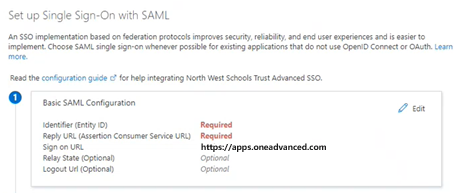
If you have specified the optional Sign On URL as part of your Basic SAML configuration, please schedule time to update it to https://apps.oneadvanced.com
Update your internal links (optional)
Whilst there will be a redirect in-place, consider updating links to your subdomain and deep-links to functionality to avoid confusion.
i.e., A deep-link to the feedback page...
https://MyCompany.ClearReview.com/webapp/#/feedback
should be updated to...
https://apps.oneadvanced.com/pnt/feedback
Prepare for the new logo
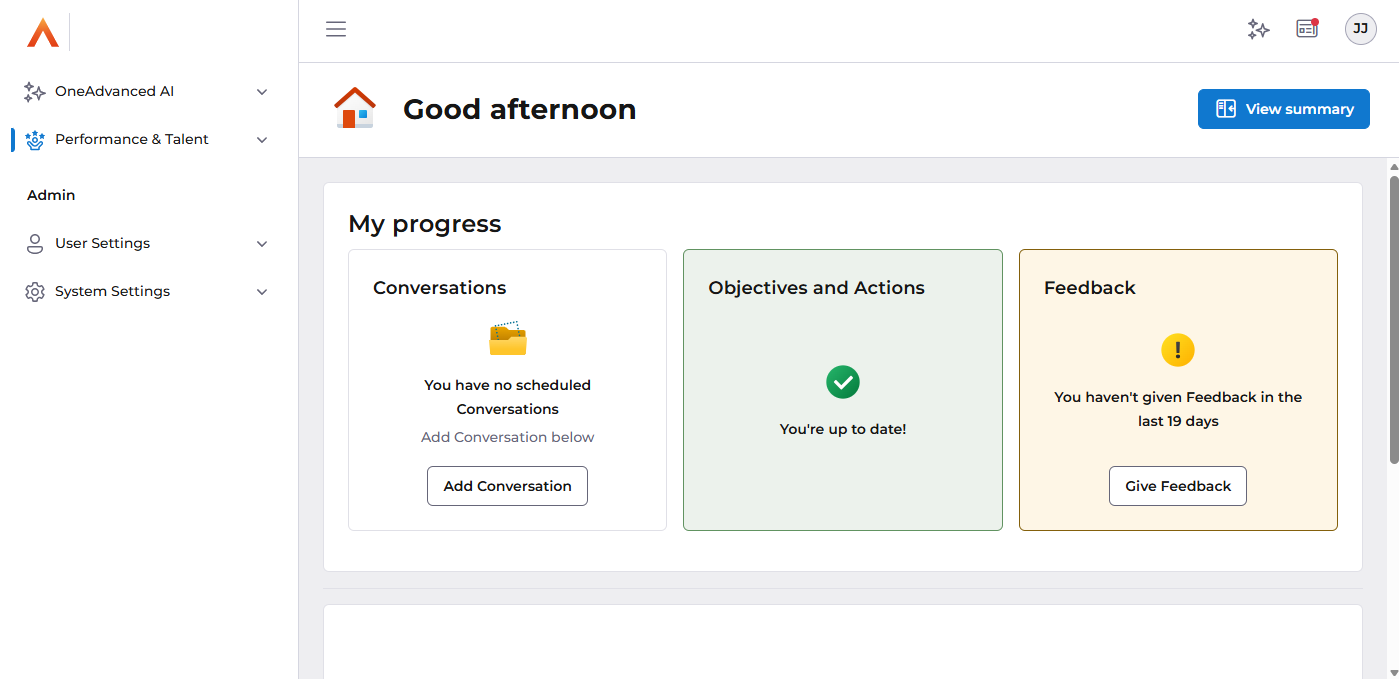
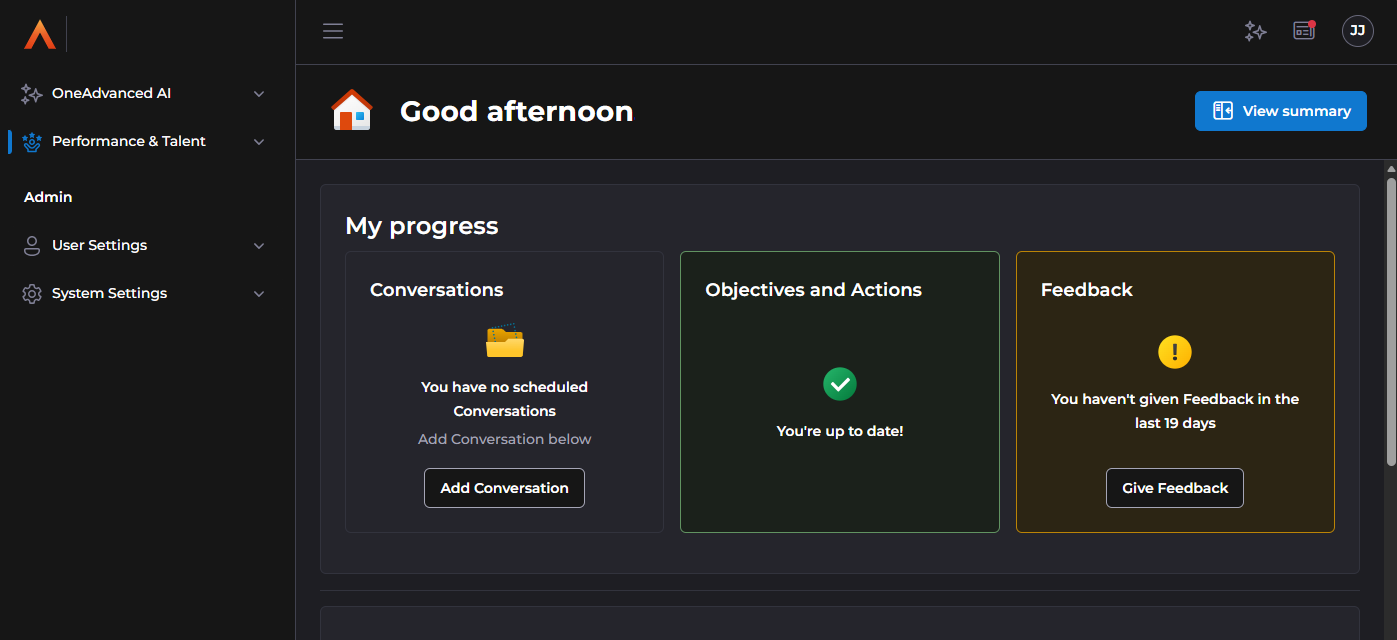
As you prepare for the February release, we recommend creating two new logos to work with light and dark modes, to ensure they remains visible and effective. We've provided a gallery below to assist in testing your logo on both light mode and dark mode backgrounds to ensure the correct logo choice.
New logo requirements:
Upload you logos
Instructions are available here.
Logo test gallery
Example logo placement:
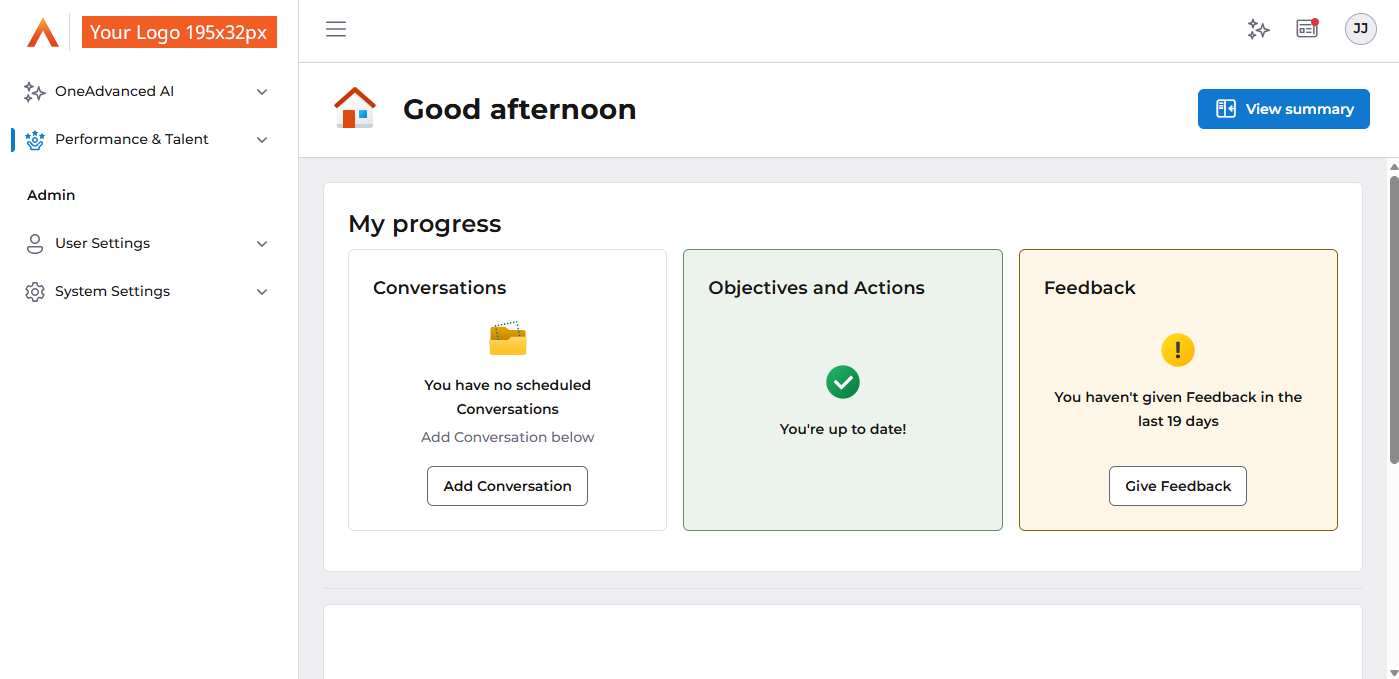
Light mode logo test:
Dark mode logo test:
Checklist
⏹️ Migrate to OneAdvanced's Identity
⏹️ Test access to the new https://apps.oneadvanced.com, and unblock if required
⏹️ Update SSO Basic SAML URL (If required)
⏹️ Update links to point to the new URL homepage (Optional)
⏹️ Update links that point to specific features (If required)
⏹️ Create and upload new logos
Support
We understand that these changes may require some adjustments on your part, and we appreciate your cooperation and understanding. We are committed to making this transition as smooth as possible and value your feedback.
If you have any questions or concerns about these changes, please check out of FAQ article which we will continue to update in the run-up to the February release.
If you require support on technical information please log a ticket through the standard reporting channels.
If you require support on branding information please contact cr.clarrisa@oneadvanced.com
Glossary
Branded sub-domains:
Explanation: A subdomain is a subset of a larger domain. In this context, a branded subdomain refers to a custom subdomain (e.g., yourcompany.oneadvanced.com) that is associated with a specific brand or organisation.
WCAG Compliance:
Explanation: WCAG stands for Web Content Accessibility Guidelines. WCAG-compliant software is designed to be accessible to people with disabilities, following guidelines that ensure usability for a wide range of users.
SAML configuration:
Explanation: SAML configuration refers to the setup and settings required to enable Single Sign-On (SSO) between an identity provider (e.g., an organization's identity management system, such as Azure Entra) and a service provider (e.g., OneAdvanced's applications).
Firewall allow list:
Explanation: A firewall is a security system that controls incoming and outgoing network traffic. An allow list is a list of approved URLs or IP addresses that are permitted to pass through the firewall. In this context, adding the new URL to the firewall allow list ensures that users can access the new URL without being blocked by the firewall.
URL (Uniform Resource Locator):
Explanation: A URL is a web address used to access a specific resource on the internet. In this context, the URL is being changed to https://apps.oneadvanced.com
SVG (Scalable Vector Graphics):
Explanation: SVG is a file format used for vector graphics. It's a scalable format that can be resized without losing quality, making it suitable for logos and other graphics.
PNG (Portable Network Graphics):
Explanation: PNG is a file format used for raster graphics. It's a widely supported format that can be used for logos and other images, but can introduce visual artifacts when scaled.